One toolkit, one chart workflow
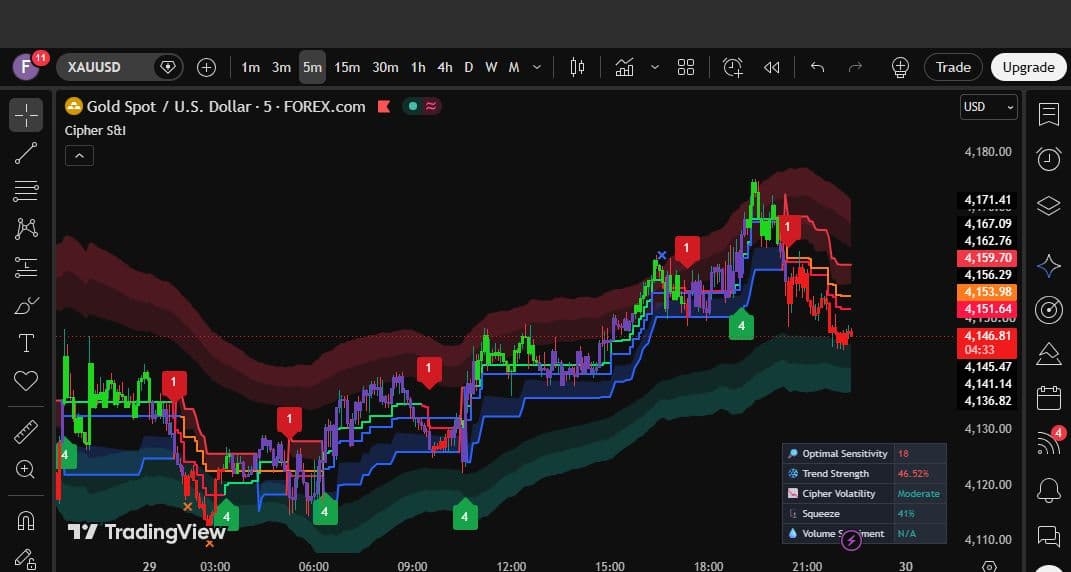
Cipher Signals & Intelligence is Forex Cipher's premium TradingView toolkit. It combines confirmation and contrarian signal engines with adaptive chart intelligence, risk levels, a live dashboard and configurable alerts in one indicator.
The toolkit is designed to support analysis rather than replace it. Signals become more useful when they are read together with trend context, volatility, reversal zones and a trader's own risk process.
What is included
- Confirmation and Contrarian signal modes with exit markers
- Optional 1–4 ML signal classification
- Smart Trail, Reversal Zones, Trend Catcher, Trend Tracer and Neo Cloud
- Three-target take-profit and one-stop-loss planning
- Trend strength, volatility, squeeze and volume sentiment dashboard metrics
- Built-in alert calls, webhook JSON and a multi-step Custom Alert Creator
Quick start
Add Cipher S&I to a TradingView chart, open the indicator settings and begin with the reference configuration. Choose a signal mode, keep Confirm Entries On Candle Close enabled, and add only the intelligence layers that help answer a specific question on the chart.
| Step | Action | Why it matters |
|---|---|---|
| 1 | Select Confirmation + Exits | A clear trend-following starting point. |
| 2 | Set sensitivity to 12 | A balanced reference for medium-term price movement. |
| 3 | Enable useful intelligence layers | Adds trend and reversal context without overloading the chart. |
| 4 | Keep candle-close confirmation on | Prevents live-candle marker flicker. |
| 5 | Create alerts only after reviewing the chart | Keeps automation tied to a tested setup. |
Important
No signal, filter, classifier or dashboard metric can guarantee a profitable result. Always define position size, invalidation and maximum risk before acting on a setup.